Product
The machine that reads
your feedback
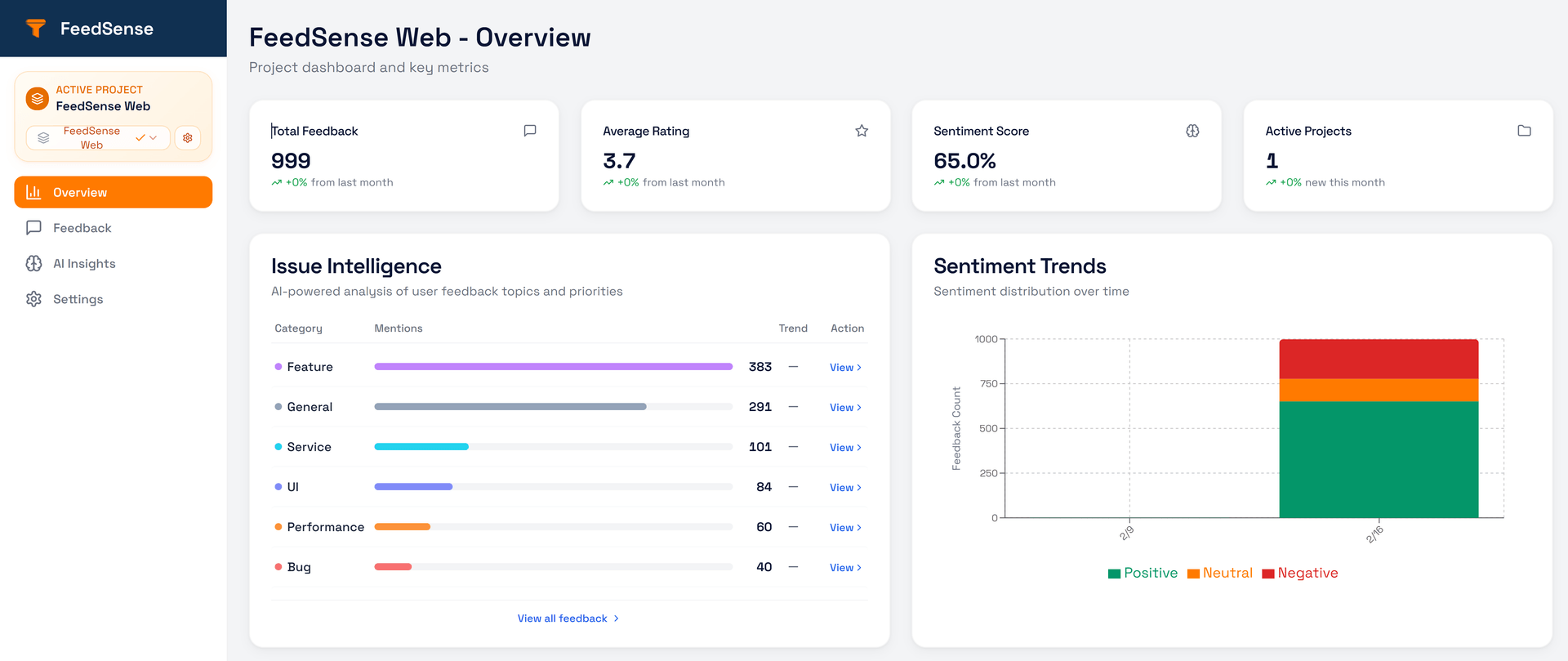
Every channel in. Seven emotions detected. One prioritized brief out, and a reply back to the people who wrote in. For SaaS teams past ~200 feedback items a month.
The Brief
What broke, what's rising, and what to do first.
As messages arrive, FeedSense reads each one, clusters it into counted themes, and ranks what matters. You open one brief. Priorities with the receipts attached, source messages one click away. No dashboard spelunking, and the people who wrote them are one reply away.
Emotion Intelligence
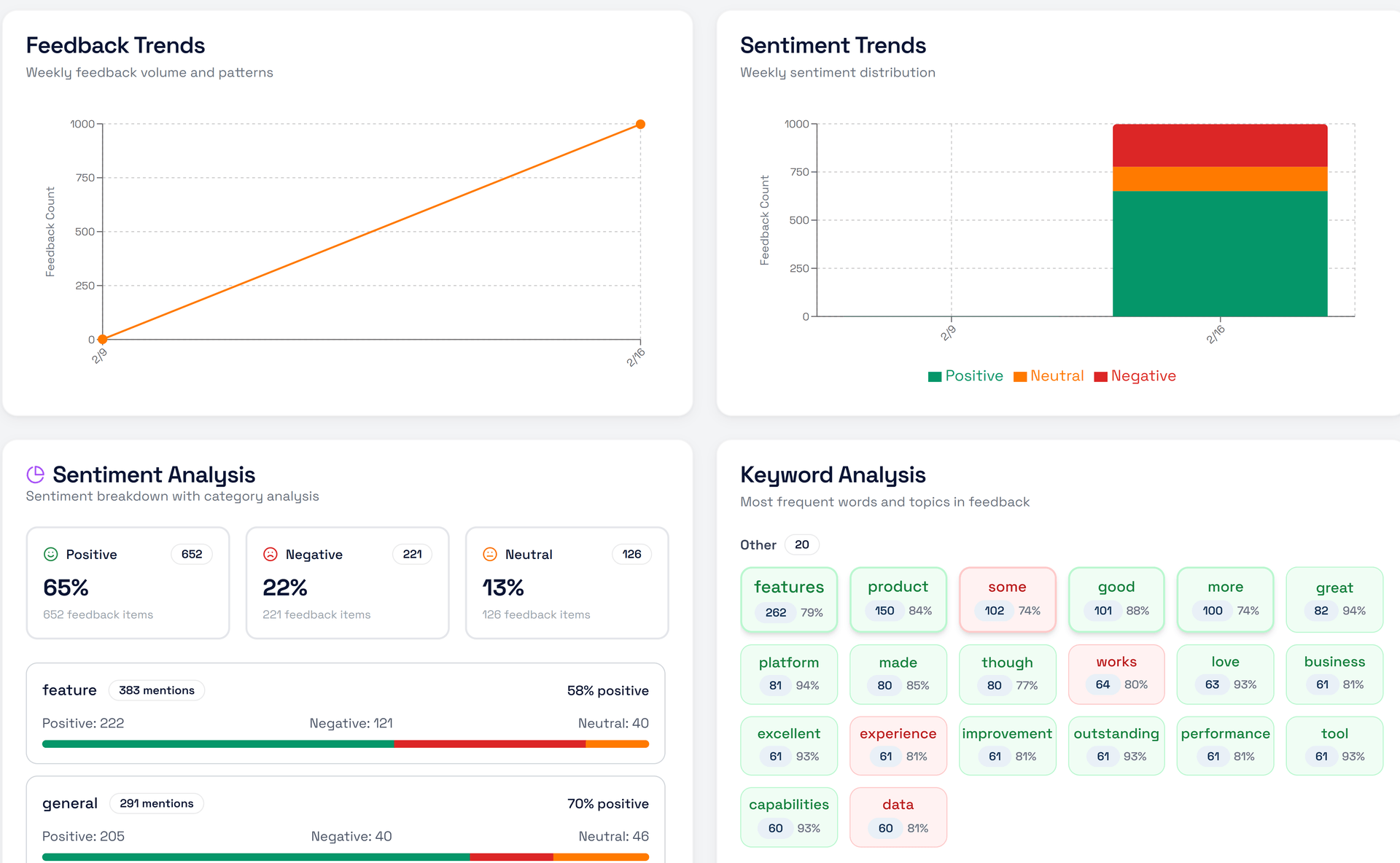
Frustrated is not confused, and angry might be about to churn.
Seven emotions instead of positive/negative: joy, anger, sadness, fear, surprise, disgust, neutral. A confused user needs better docs. A frustrated one needs a fast fix. An angry one needs a human today. Emotion trends per theme show whether releases actually calmed things down.
Smart Triggers
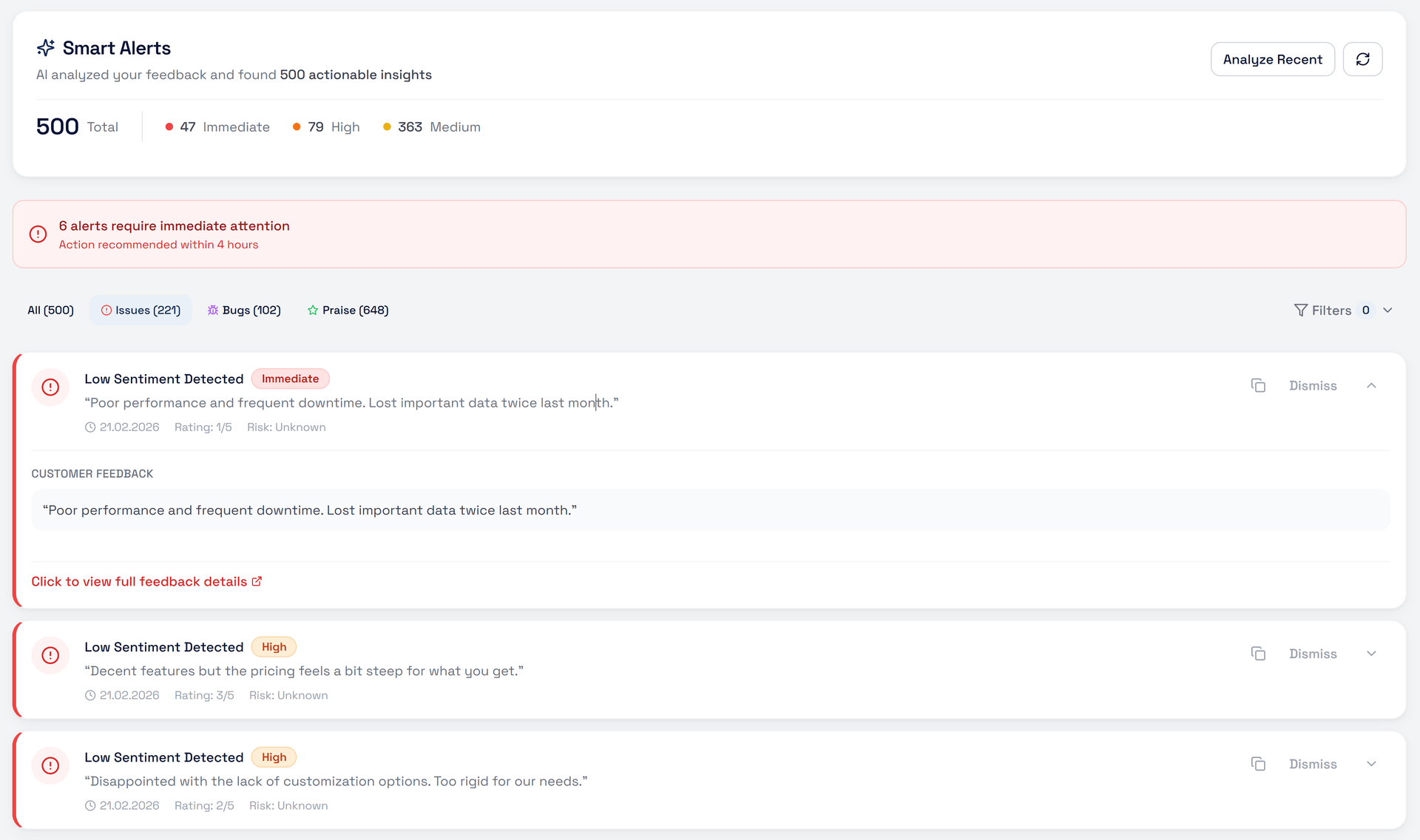
Bugs, churn risk and praise, flagged the moment they arrive.
Bug reports arrive with reproduction steps and system info already extracted. Churn-risk language gets flagged while there's still time to act on it. Quotable praise is saved as testimonials with marketing value scored and the excerpt ready.
Release Impact
Did the fix actually land? Now you'll know.
Tag a release, then watch the themes it touched. Complaint counts and emotion shift before and after. Evidence the fix worked, or an early warning it didn't. The loop closes with data, not hope.
Checkout hangs at step 2
83%Export button can't be found
12%Anger on the checkout theme
22% 7%15 points calmer
How it works
What happens to the messages you never had time to read
Connect Your Channels
One script tag for the in-app widget. CSV import and webhooks for everything else. Intercom, Zendesk and Slack connectors are on the way.

FeedSense Reads All of It
Similar messages become one counted theme. Seven emotions, because frustrated is not confused. Bugs, churn risk and praise flagged on arrival.
Themes over time
Emotion mix · this week
You Get the Brief. You Make the Call.
What matters, ranked, with receipts attached. Get alerts in Slack, and decide with evidence on the table.
FROM TODAY’S BRIEF
Checkout hangs at step 2
23 reports · anger ↑
YOUR TRACKER · TO DO
The Loop Closes
Open the message and write back. Your reply goes out by email with their original words quoted, so nobody reports into a void. On Analyze and up.
We heard you!
The export button is back in the top bar as of today’s release. Thanks for flagging it.
YOUR ORIGINAL FEEDBACK
“Where did the export button go??”
The alternative
Reading it yourself vs. FeedSense
The honest comparison, because that's the real alternative.
| Reading it yourself | FeedSense | |
|---|---|---|
| Coverage | Whatever you had time for | Every message, from every channel |
| Memory | Leaves when people do | Every theme, counted since day one |
| Priorities | Whoever emailed last | Ranked by how many reported it, evidence attached |
| Replies | The guilt pile | Written from the screen where you read it |
| A missed signal costs | A churned account, a wasted sprint | Flagged the day it arrives |
FAQ
Fair questions, straight answers
Everything you need to know about FeedSense.
Feel free to reach usStart now
See what the machine finds in your pile
Start free with the in-app widget: one script tag, five minutes. CSV import and email replies start on Analyze.
5-minute widget setupStart free, no credit cardIntegrations and replies on Analyze